
Running on ARM64
Introduction
Although not fully supported, SIMetrix and SIMetrix/SIMPLIS can be run on ARM64 systems such as those using Qualcomm Snapdragon processors. For version 9.3 (and later) you must be running Windows 11 version 25H2 or later and may need to explicitly enable newer emulation features in order for the program to run. For earlier versions, it is advised to enable these features. See next section for instructions on how to do this.
Enabling Newer Emulation Features
- Select the program icon from any of the following locations
- from the Desktop Shortcut for SIMetrix 9.3
- from the Start Menu Shortcut for SIMetrix 9.3, right click and choose Open file location
- from the install location itself C:\Program Files\SIMetrix930\bin64\SIMetrix.exe
- Right-click menu Properties...
- Click the Compatibility tab
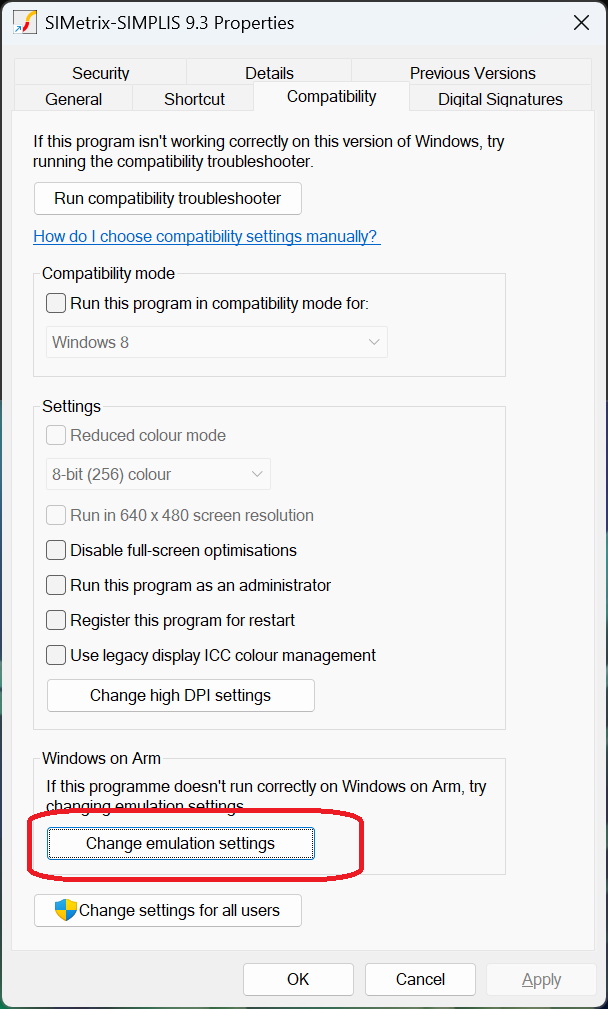
- Click on Change Emulation Settings as shown below:
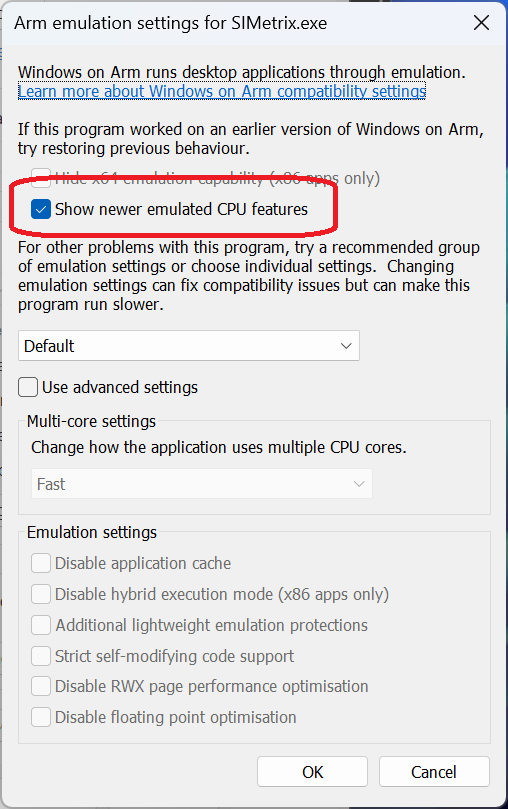
- Check Show newer emulated CPU features as shown below. If instead there is a box labelled Hide newer emulated CPU features (x64 apps only), make sure this is not checked.
- Click Ok then Ok
Starting for the First Time
As SIMetrix/SIMPLIS is running under emulation, the operating system must translate the Intel machine instructions to ARM64 machine instructions. Because of this when starting for the first time, there can be a considerable delay before the program is ready to use. This can be several minutes. Further, if the SIMetrix simulator process takes a long time to start, the front end may time out attempting to connect to it. In this situation, you may see the message:
"*** FATAL ***: Could not connect to simulator, timeout reached. Contact technical support for assistance"
In this situation, simply shut down and restart. Second and subsequent attempts should be much faster
SIMetrix Convergence Issues
The SIMetrix simulator makes use of extended precision arithmetic which is only available on Intel processors. Under emulation on ARM, extended precision is truncated to double precision. This does not cause the simulator to malfunction but in some cases may lead to circuits not converging on ARM systems that run easily on Intel systems. If this situation arises you can use one of the other iteration modes instead.
To select the iteration mode:
- Select menu Simulator | Convergence Options...
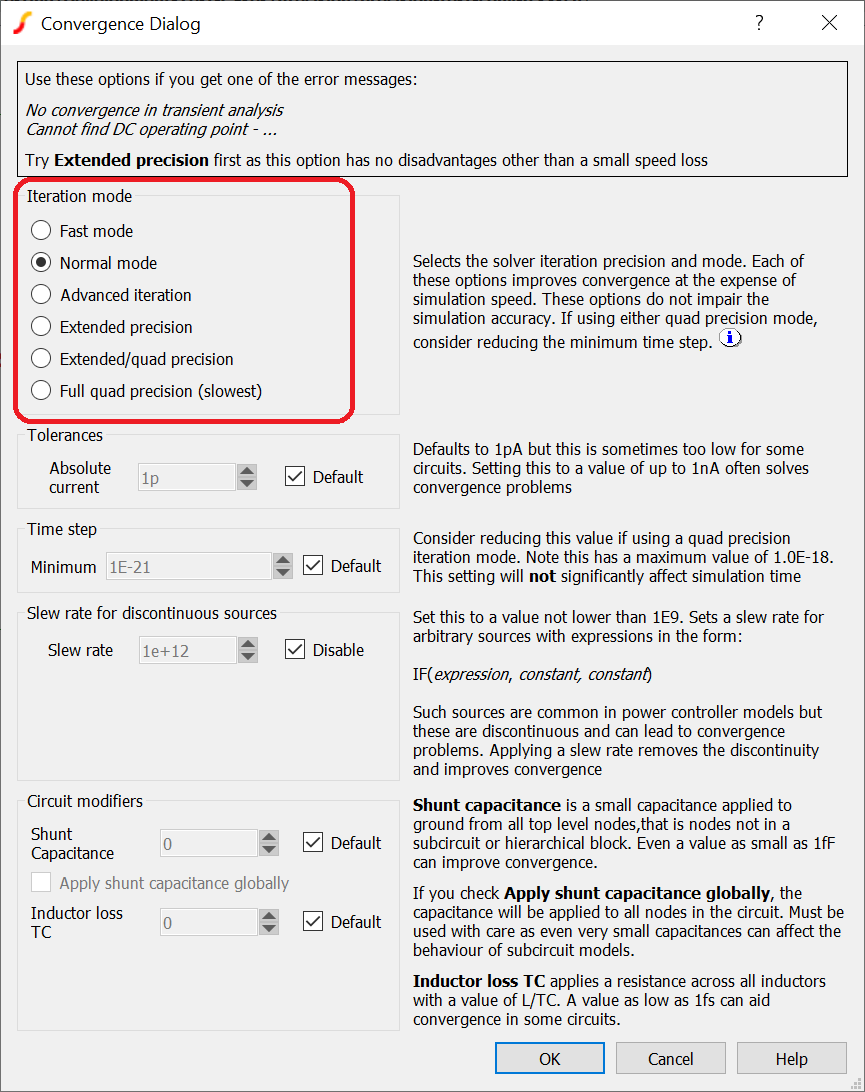
- Select one of these modes
- Fast mode. This is the best choice on ARM systems and will usually converge much better than the normal mode. It may also be slightly faster
- Extended/quad precision. This will run significantly slower but has much better convergence than the normal and fast modes
- Full quad precision. Best convergence, also the slowest